

WhatsApp Business AI agent for text and voice conversations
Customers do not always type their questions. They send a voice note while driving, share a product photo, or ask for a price in the middle of a busy day. Your team still needs to understand the request, answer from current company information, and move the opportunity forward. WTOCRM gives your WhatsApp Business team one workflow for those conversations. Connect WhatsApp, let an AI agent use your company knowledge, transcribe incoming audio, generate voice replies when configured, and hand the conversation to a person when the request needs judgment.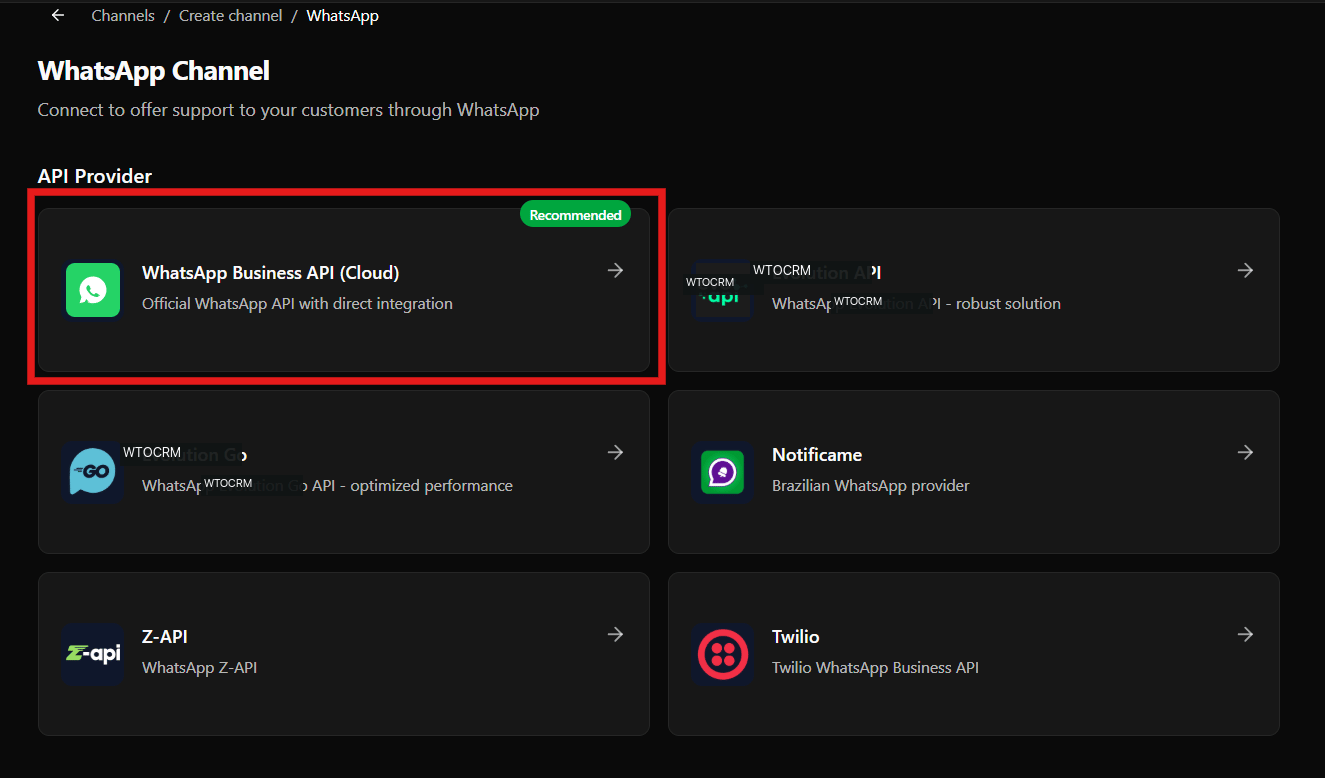
Why WhatsApp Business conversations get difficult to manage
The WhatsApp Business app works well when one person handles a small number of chats. The workflow becomes harder when several representatives share responsibility:- A voice message arrives, but nobody has time to listen immediately.
- Product details and policies are copied from old conversations.
- An AI chatbot answers without the latest company information.
- A qualified contact remains in the inbox instead of entering the sales pipeline.
- A customer asks for a person, but the handoff loses the conversation context.
Connect WhatsApp Business to a shared workspace
Connect your WhatsApp Business account through the official WhatsApp Business API (Cloud) or another supported provider. WTOCRM brings the conversation into a shared workspace where your team can assign ownership, add private notes, and keep the customer context together.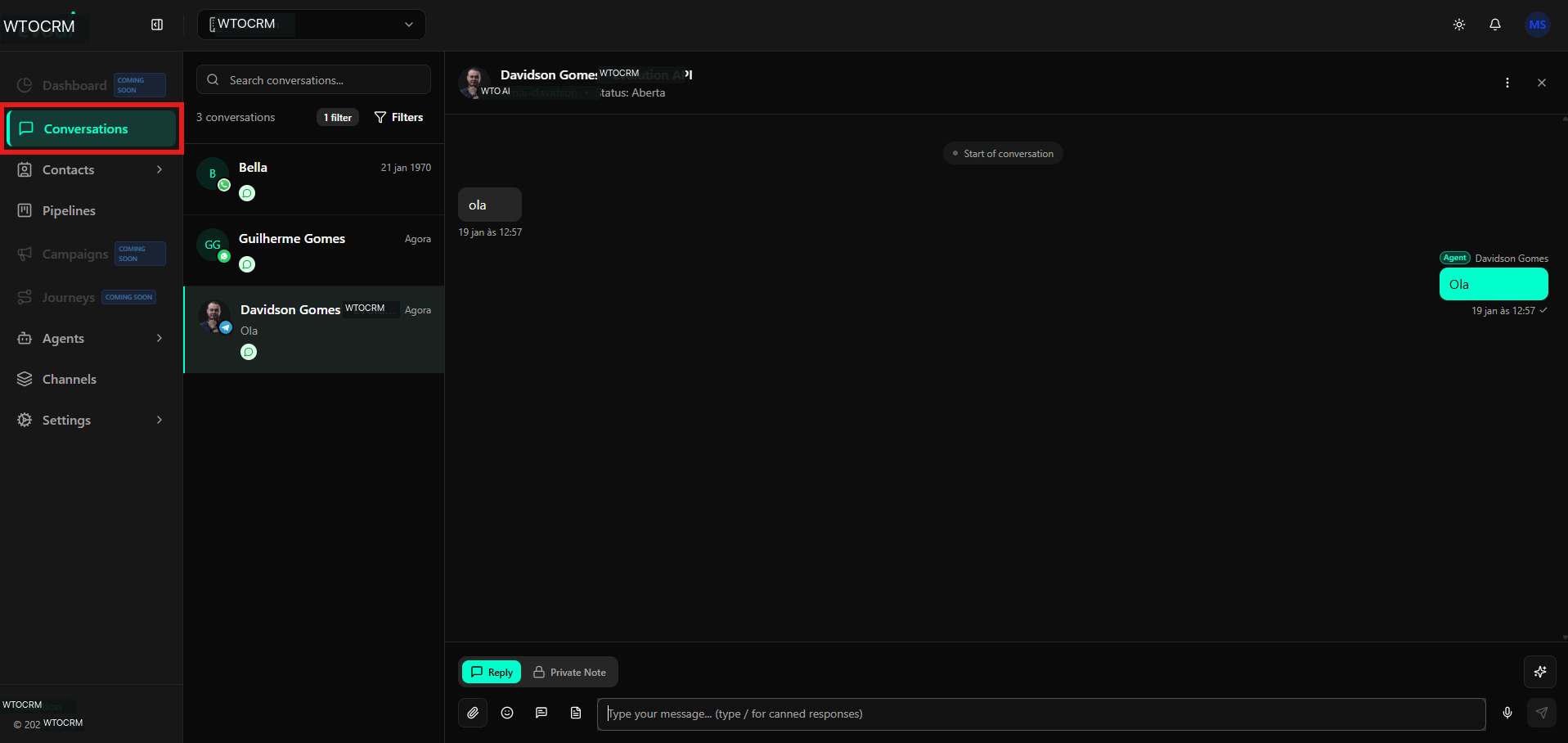
Give the agent a job and a boundary
Create an agent for one operational job: answer product questions, qualify inbound leads, collect booking details, or handle first-line support. Define its role, goal, instructions, and transfer rules so it knows when to continue and when to involve a representative.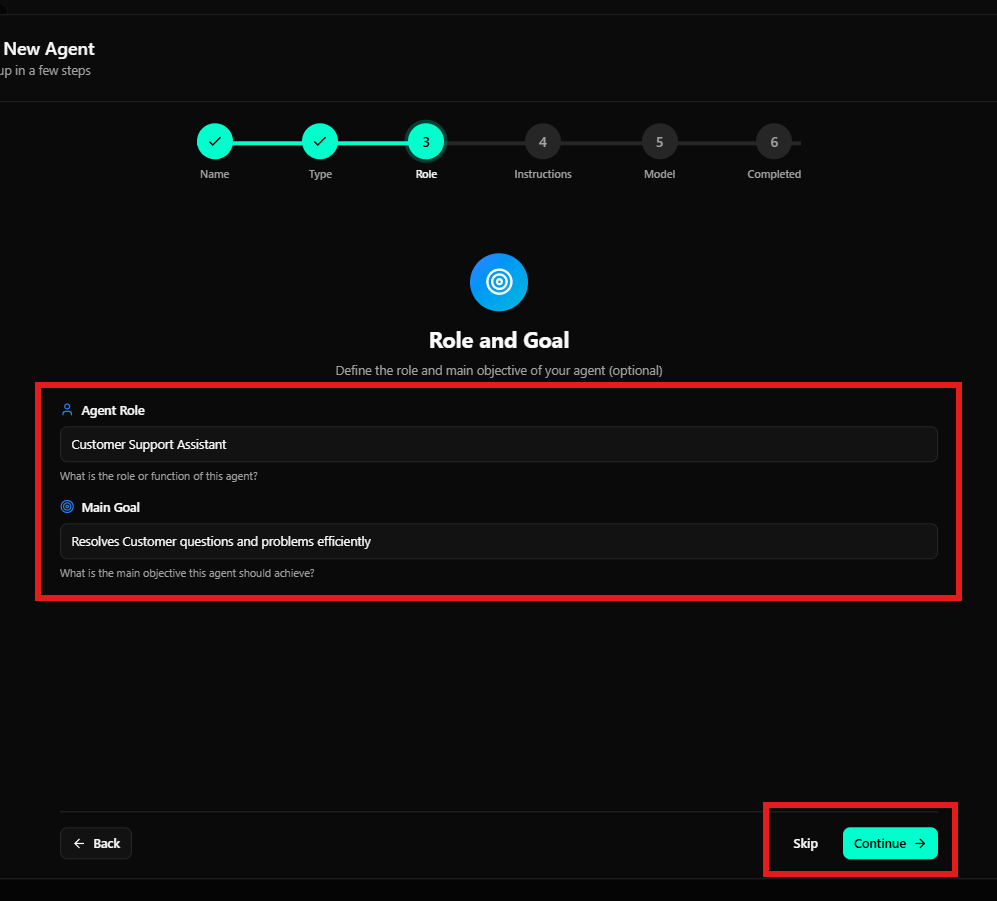
- The agent handles recurring questions and initial qualification.
- The team receives the conversation with its context when human attention is needed.
- The customer stays in the same WhatsApp conversation.
Let the knowledge base drive the answer
An agent should not guess a price, delivery condition, return policy, or product specification. Add the sources it should use to the WTOCRM knowledge base: product documents, FAQs, support instructions, service policies, spreadsheets, web pages, or images.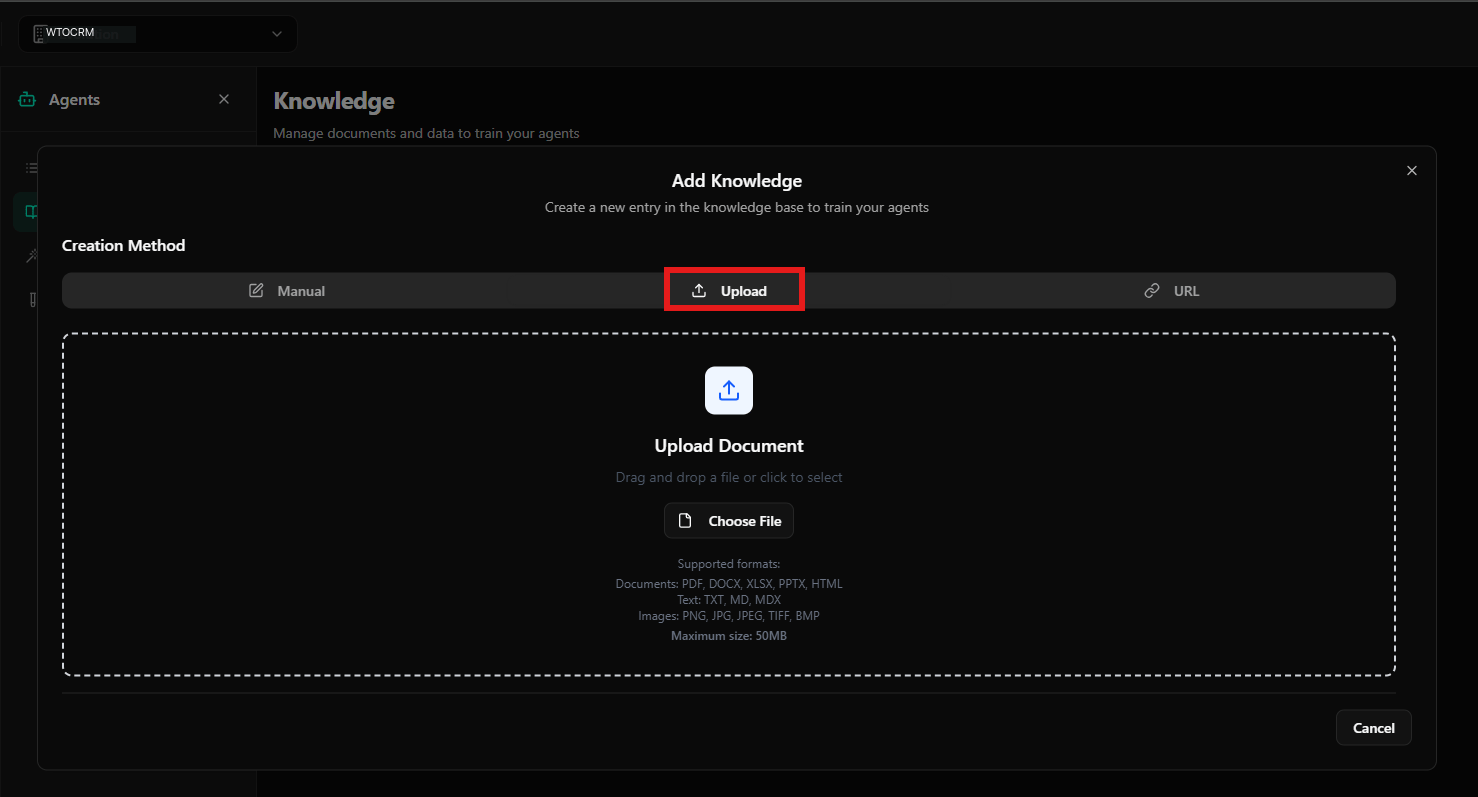
Make voice messages searchable and actionable
Voice notes often contain the most useful customer context, but they are difficult to scan across a shared inbox. Enable audio transcription in account settings so incoming audio can be converted to text for reading and information search.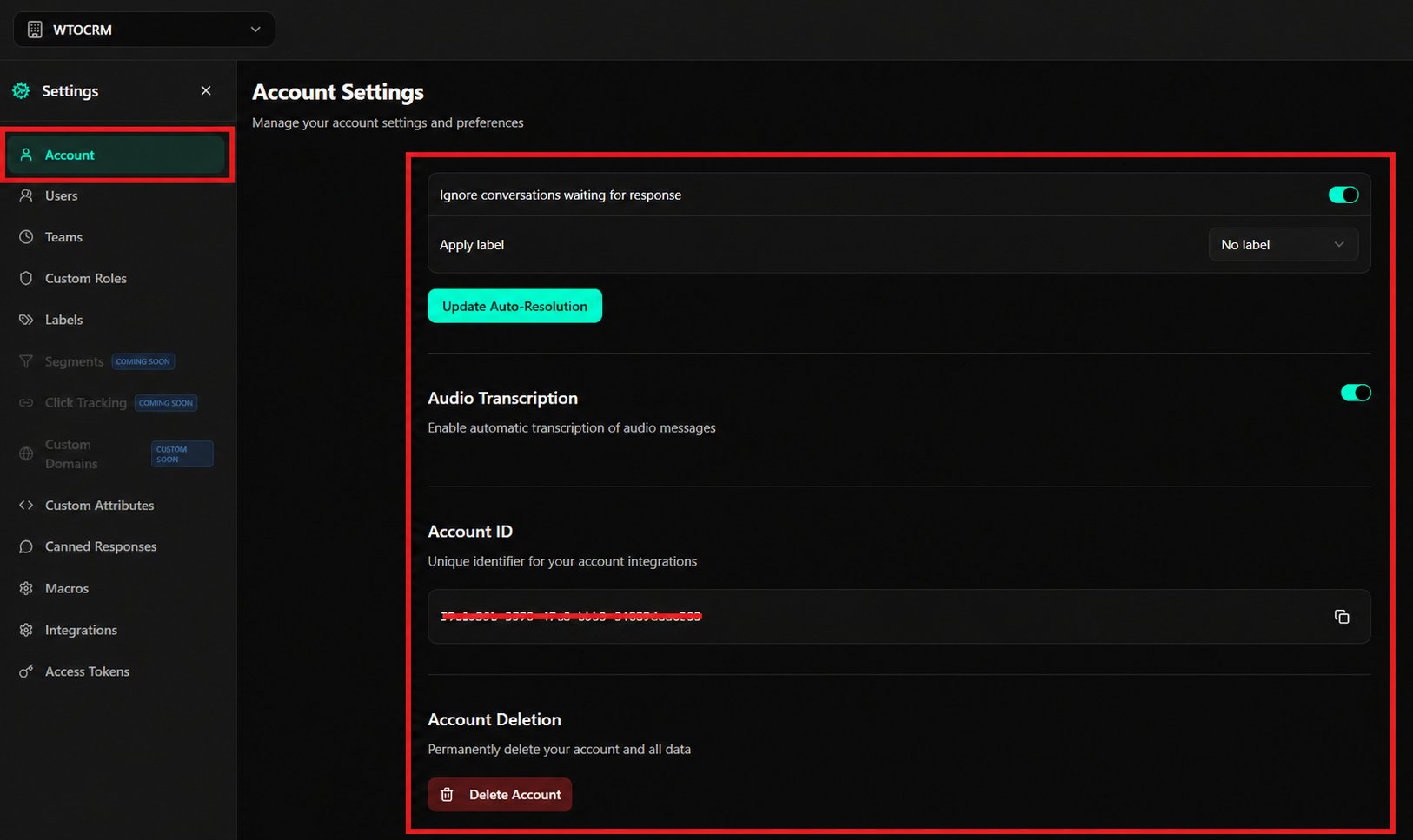
- A customer sends a WhatsApp voice message.
- WTOCRM transcribes the audio so the team can understand and search it.
- The agent uses the relevant company knowledge to draft the next answer.
- When voice output is configured, the agent can generate an audio response through the available voice integration.
- A representative takes over when the customer asks for a person or the request needs a decision.
Move from a conversation to a next step
The conversation is only the beginning. Link the contact to a product, owner, and pipeline stage so a useful WhatsApp exchange does not disappear after the reply.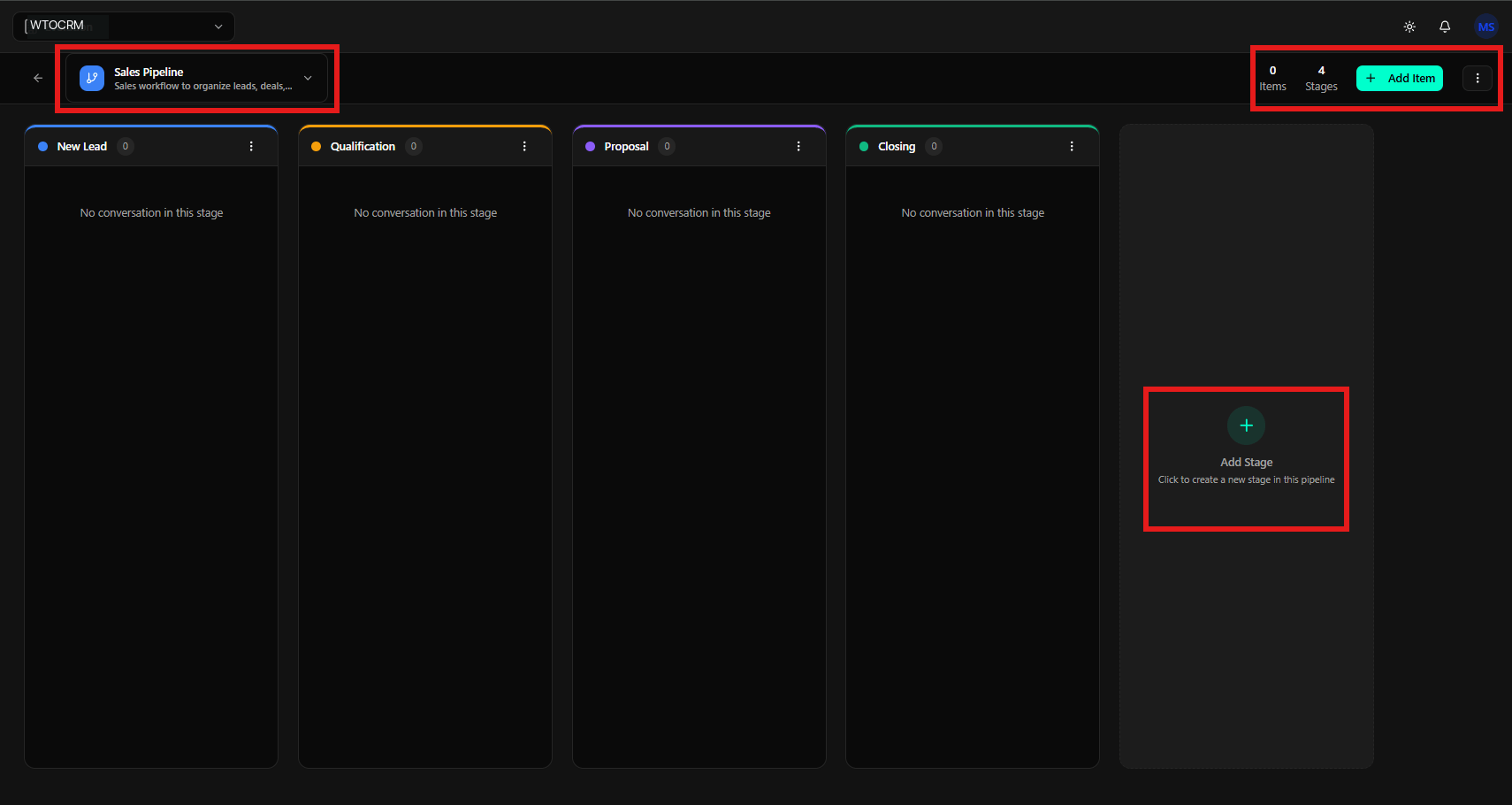
A focused way to start
Choose one WhatsApp workflow with repeated questions and meaningful voice-message volume. Prepare the knowledge sources, define the agent’s handoff rules, enable transcription, and decide which replies should remain text or become audio. Measure qualified conversations and completed follow-up before expanding to more agents or channels.Build your WhatsApp Business AI workflow
Connect WhatsApp, company knowledge, AI agents, voice messages, and CRM follow-up in one workspace.